Examples
1st example search with keywords
























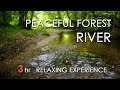





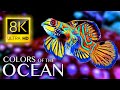






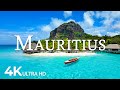



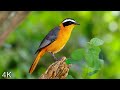




2nd example username, in this case rpoland






























Code and options
//First set the type, keywords, username, channel or playlist
$video = new youtubelist('keywords');
//Default set_keywords, set_username, set_channel or set_playlist (in this example set_keywords)
$video->set_keywords('HD nature');
// -- Here your youtube API key
$video->set_api('Here your youtube API key');
//Max results
$video->set_max(50);
// --set sorting order: relevance, date , rating , title , videoCount , viewCount or none; default: relevance
// --At this moment sorting seems only to work with a search
$video->set_order('relevance');
//--Cache the feed
$video->set_cachexml(true);
// --How long must the cach been saved (in seconds)
$video->set_cachelife(86400);
// --Set where to store xml files
$video->set_xmlpath('./cache/');
// --Set safesearch possible: none, moderate, strict; default: strict
$video->set_safeSearch('none');
// --OPTIONAL - Set lang; codes can be found here http://www.loc.gov/standards/iso639-2/php/code_list.php row ISO 639-1 Code
// --If not set all languages will appear in the results
$video->set_lang('EN');
// --OPTIONAL - Search only 3d. Set to any, 2d or 3d.
$video->set_3d('3d');
// --OPTIONAL - Search HD. any, high or standard.
$video->set_hd('high');
// --OPTIONAL - Search for license. possible: cc, youtube. Only used for the search option or don't set.
$video->set_license('youtube');
// --OPTIONAL - Search for duration. possible: any, short, medium, long. Only used for the search option or don't set.v $video->set_duration('long');
// --OPTIONAL - Set length title and description text
$video->set_descriptionlength(300);
// --OPTIONAL - Make the description first character uppercase and the rest lowercase - default is true
$video->set_descriptioncap (true);
$video->set_titlelength(45);
// --OPTIONAL - Set the title all character's uppercase - default is true
$video->set_titlecap (true);
// --OPTIONAL - Set debug true to show the url request (only in case of errors) - default is false
$video->set_debug (false);
Resctrictions
maximum 50 movies (youtube restriction)
API key youtube
- Create a Google Account
If you do not already have a Google account, create one now as you'll be needing it.
- Create a new Google Project
Go to your Google Console. Click on Projects in the upper-left, then Create Project and enter a project name & ID.
- Enable YouTube Data API V3
Click on the project you have created if it hasn't already opened after creating. Then go to APIs & auth on the left. In the next screen, click on YouTube Data API V3. Enable the API by toggling the OFF button to ON.
- Get API Key
Once you have enabled the API, click on Quota on the top. You can then click on API Access on the top left and create a new Browser Key. This key can be linked to a domain for security measures, but it is not obligated. Once you've created the key (it should look something like this: AIzaSyDmk3oxVjtu06AWRv60ADPvcYO9tvswzm8), copy it and use it as 'YouTube Data V3 API Key' option.